
Conversational Journey
Every step appears naturally in chat bubbles - detail capture, consent, FAQ answers, routing, and handoff feel like a real conversation.
Replace rigid pre-chat forms with intelligent conversational workflows. Route visitors with AI, collect details naturally, hand off to humans seamlessly, and connect to your existing systems - all from one visual drag-and-drop builder.
A modern workflow engine built for real business operations - not rigid form wizards
Every step appears naturally in chat bubbles - detail capture, consent, FAQ answers, routing, and handoff feel like a real conversation.
Use conditions, buttons, and API data to route visitors by intent, department, office hours, language, or real-time system lookups.
Start with AI for speed and scale, then escalate to live operators seamlessly when empathy, authority, or expertise is needed.
Track completion rates, drop-off points, and handoff metrics to continuously improve customer experience and team efficiency.
Design, test, and deploy smart chat workflows without writing code. Click to zoom.
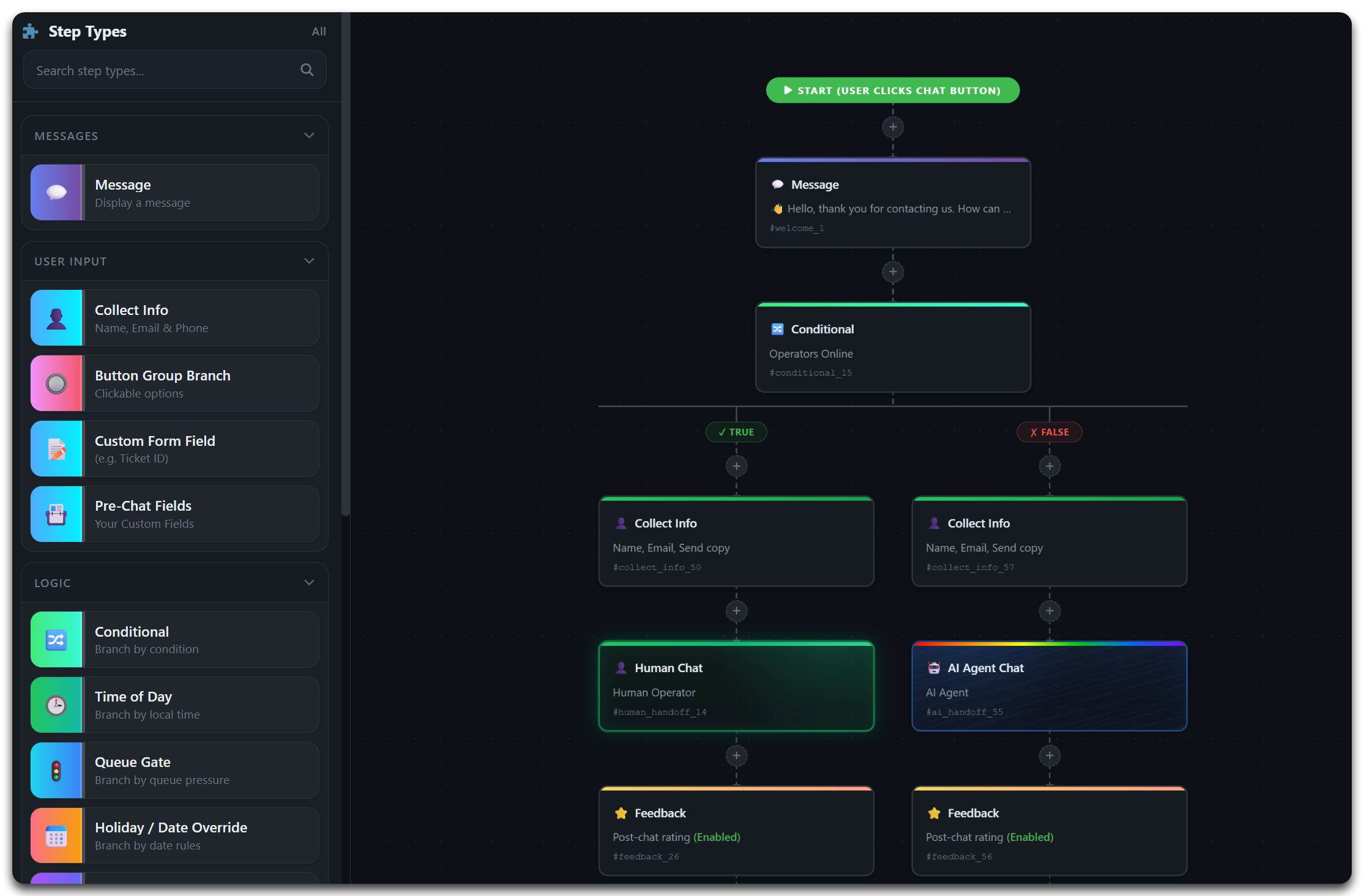
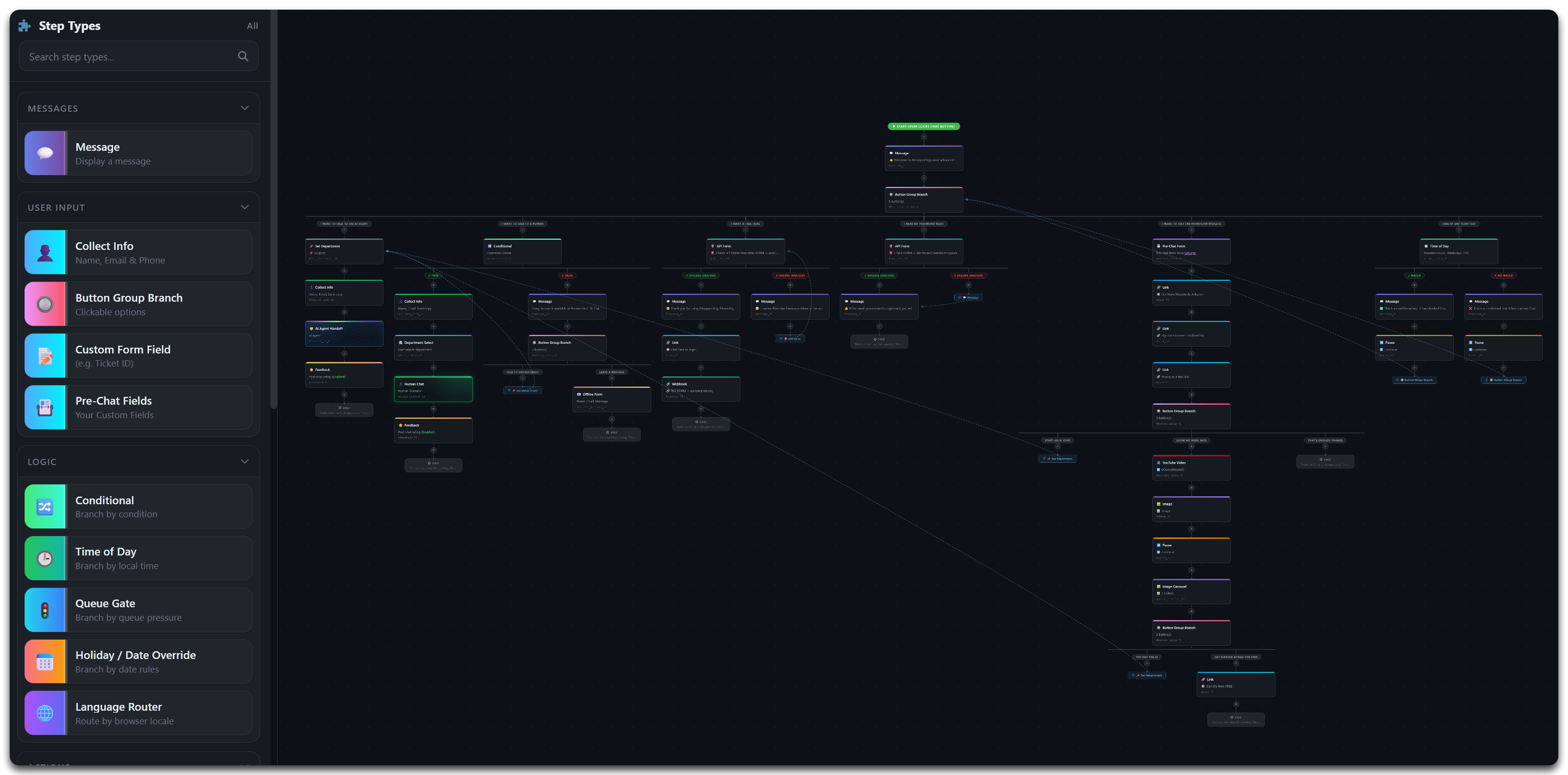
Real-world workflow patterns you can build today with the visual editor
Deflect common questions with FAQ, then connect to a live agent or capture an offline message
Ideal for: General customer support, helpdesks, service teams, councils, and any business that receives high volumes of repeat questions.
Let visitors raise new support tickets or check the status of existing ones via API
Ideal for: IT helpdesks, SaaS platforms, managed service providers, councils, and any business with a ticketing or case management system.
Let AI handle the entire conversation using your knowledge base, FAQs, and custom tools
Ideal for: SaaS companies, e-commerce, knowledge-heavy products, after-hours support, and businesses wanting to offer instant 24/7 responses.
Start every chat with AI, then seamlessly hand off to a live agent when needed
Ideal for: Any team that wants AI efficiency but needs human fallback - law firms, finance, healthcare, enterprise support, and sales teams.
Look up orders in real time, initiate returns, and connect to agents for complex issues
Ideal for: E-commerce shops, subscription services, retail, logistics companies, and any business where customers frequently check order status.
These are just starting points. Combine any steps in any order - the visual builder makes it easy.
Start Building Free14+ step types purpose-built for operations, support, sales, and compliance teams
Design flows with drag-and-drop logic, reusable steps, and clear routing paths - no code required.
RAG-powered AI that answers from your knowledge base, uses custom tools, and resolves FAQs instantly.
Transfer active conversations with full context so customers never repeat themselves.
Collect data conversationally, POST to external systems, and return templated responses in chat.
Route by office hours, department availability, captured data, or API response values.
Let visitors pick a team or route silently when intent is already clear. Offline departments greyed out.
Automatically switch between live support and offline message capture based on time and availability.
Add GDPR-friendly pre-chat acknowledgements and compliance checks before users proceed.
Capture structured messages when nobody is available, with email validation and confirmation.
Capture post-chat satisfaction ratings and comments to improve workflows continuously.
Show product images, screenshots, or visual guides in a swipeable carousel within chat.
Track completion rates, step-level drop-off, average times, and handoff success metrics.
Smart hybrid AI workflows for public services and high-expectation private sector teams
Automate service requests, route residents to the right team, and collect complete case details in one chat flow.
Standardise legal intake with conflict checks, practice-area routing, and secure handoff to fee earners.
Capture suitability details, direct clients to appropriate teams, and create audit-friendly contact journeys.
Check order status, recover abandoned carts, process returns, and trigger discount logic via API calls.
Handle booking, check-in, concierge, and service requests with contextual department routing.
Reduce repetitive workload by automating FAQs, qualification, and internal workflow triggers through APIs.
Guide prospects through course discovery, collect eligibility details, and route to admissions by programme type.
Direct patient enquiries, gather intake fields, and route urgent paths to priority channels safely.
Qualify buyers and sellers, book viewings, and push lead data into CRM systems instantly.
Qualify buyers, book test drives, and send lead details to CRM while handing hot leads to sales instantly.
Authenticate customers, check outage or account status via API, and escalate priority faults to agents.
Triage beneficiaries, volunteers, and donors with dedicated journeys that collect compliant data at every step.
Build and deploy smart hybrid AI chat workflows without complex development work.
Why hybrid AI workflows deliver better results than static chat forms or basic chatbots
Quick answers for operations, IT, and leadership teams evaluating smart chat workflows
A hybrid AI chat workflow is a conversational journey that combines AI automation with human support. Visitors interact through a guided flow - answering questions, viewing FAQs, submitting forms - with AI handling what it can and live agents stepping in when needed. Everything is designed in a visual drag-and-drop builder.
Yes. The AI-first with human escalation pattern is one of the most popular workflows. AI handles initial triage and common questions, then seamlessly hands off to live agents when the visitor needs human assistance.
Use the visual workflow builder in your dashboard. Drag step types (messages, forms, buttons, conditions, AI chat, handoff) onto the canvas, connect them, configure each step, and activate. No coding required - changes go live instantly.
Yes. Create separate workflows for sales, support, legal intake, admissions, or any department. Each workflow has its own steps, routing logic, and handoff rules.
Yes. Office-hours conditional steps detect availability in real time. Online visitors get live chat; offline visitors see a structured message form. You can also route to AI-only paths during off-hours.
Yes. API Form steps POST captured data to any endpoint and show the response in chat. Webhook steps send notifications to Slack, Discord, Teams, or any webhook receiver. API Conditional steps query external APIs and branch on the response.
Yes. Use API Conditional branching to query your ticketing or order management system with a reference number. The workflow branches on whether data was found and displays the result directly in chat.
Yes. Chat data is stored in UK data centres; on standard plans AI steps are processed by OpenAI outside the UK, and on Enterprise AI processing can run entirely in the UK. You can add consent and policy acknowledgement steps before collecting personal information. Data captured is isolated by tenant and follows strict access controls.
Yes. Built-in workflow analytics track completion rates, step-level drop-off, average time per step, and handoff metrics. Use this data to optimise your workflows continuously.
Yes. Add a single embed script to any website - WordPress, Shopify, Wix, custom-built, or any platform. The widget handles cross-domain communication automatically and works on desktop and mobile.
Yes. Image carousel steps, rich messages, and dynamic content blocks let you show product images, screenshots, and visual guides directly in the chat flow.
IMSupporting combines a true visual workflow builder with AI-powered chat, API integration, webhook automation, and live agent handoff in one platform. Most alternatives offer only basic chatbot flows or require separate tools for AI, ticketing, and routing.
Build modern, measurable chat workflows that combine AI automation with human expertise. Free 30-day trial, no credit card required.